![SurePassID_CMYK_600.png]](https://support.surepassid.com/hs-fs/hubfs/SurePassID_CMYK_600.png?height=40&name=SurePassID_CMYK_600.png)
The following is information about how to deploy SurePassID Windows Logon Manager (WLM) product as a Windows Logon provider and optionally to filter our other providers, presenting only our WLM (enforcement).
Prepping a test machine to thoroughly test the SurePassID WLM setup before deployment
Standard install using our WLM Installer and the configuration tool
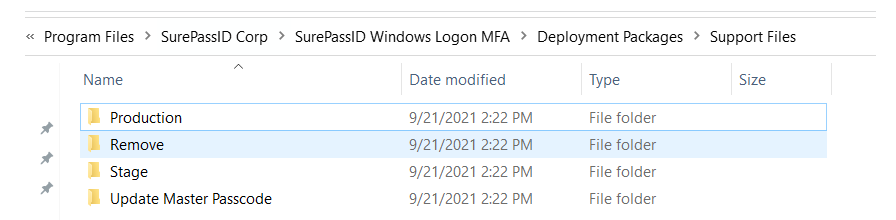
When you use the WLM installer to do an initial install, you will see 4 folders under this path on the machine:
C:\Program Files\SurePassID Corp\SurePassID Windows Logon MFA\Deployment Packages\Support Files
See screenshot below:
-
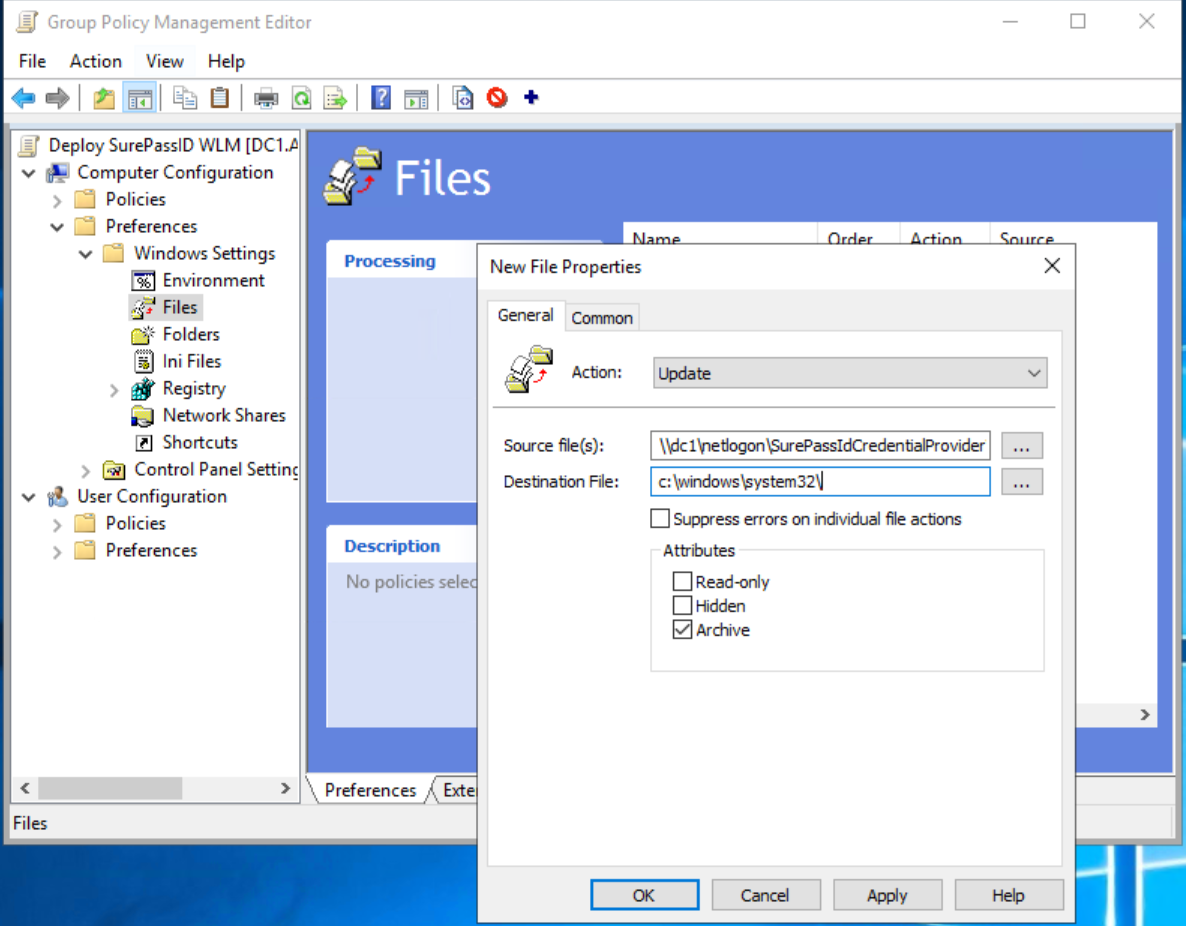
The most current WLM DLL placed into c:\windows\system32.
-
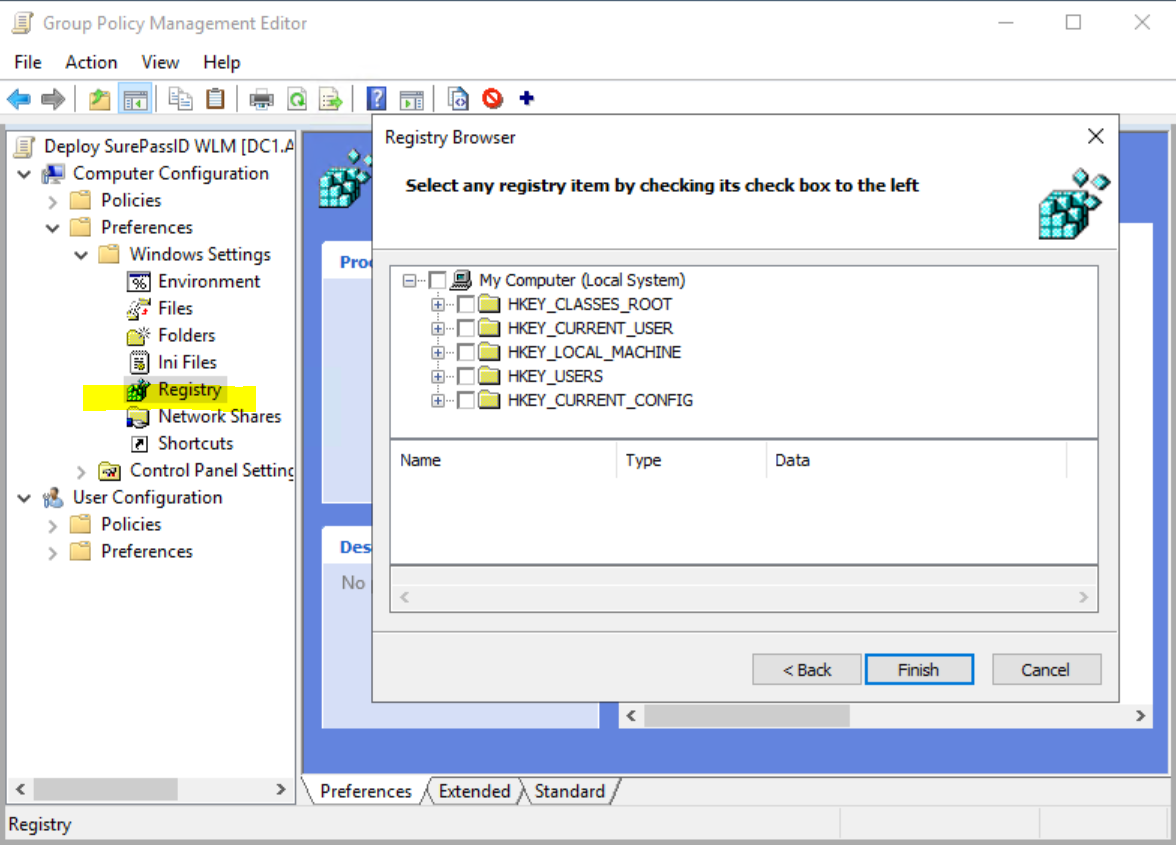
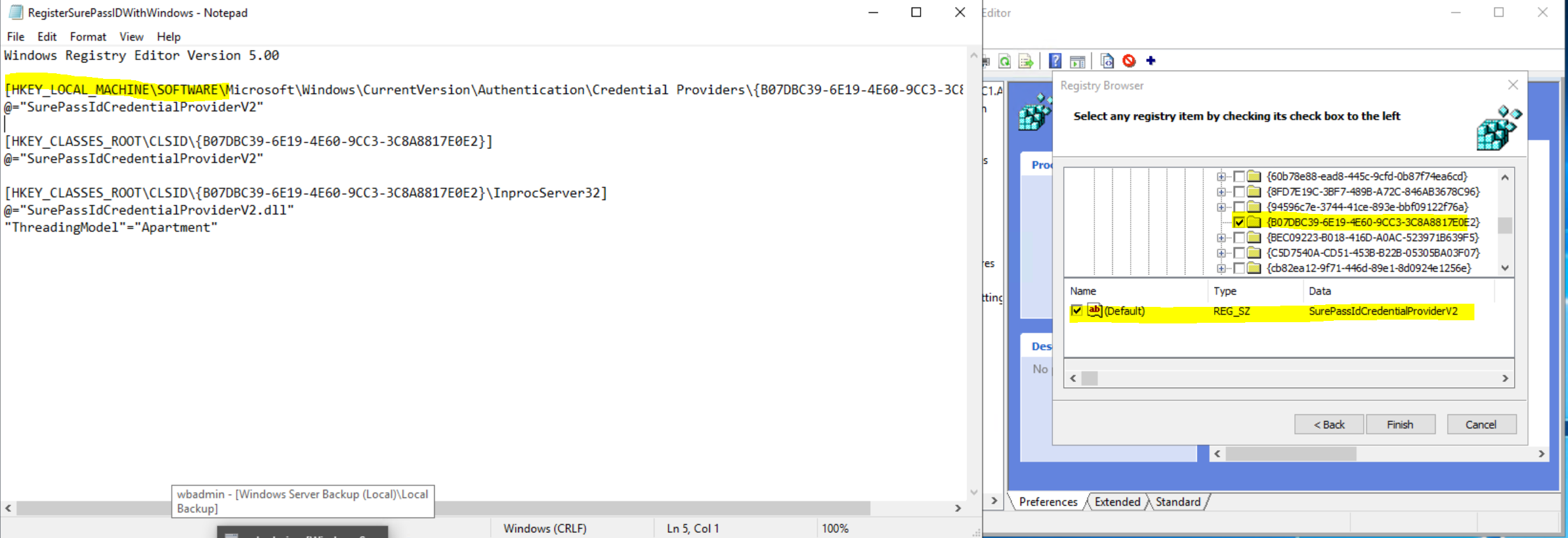
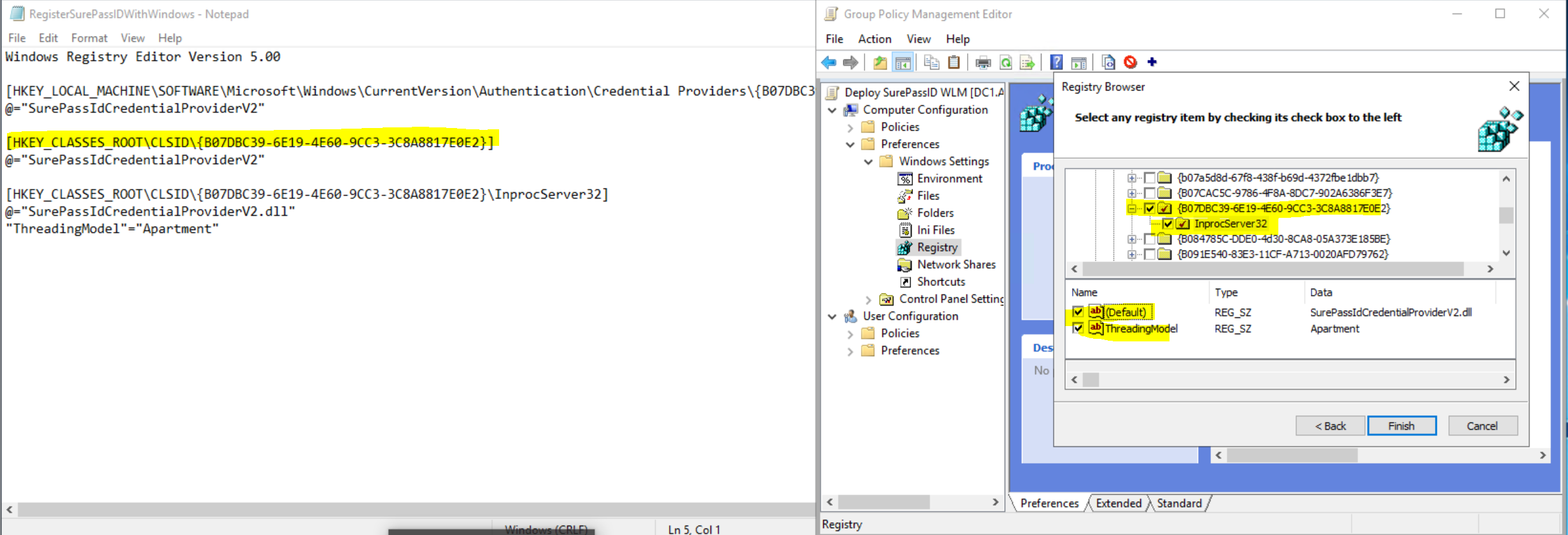
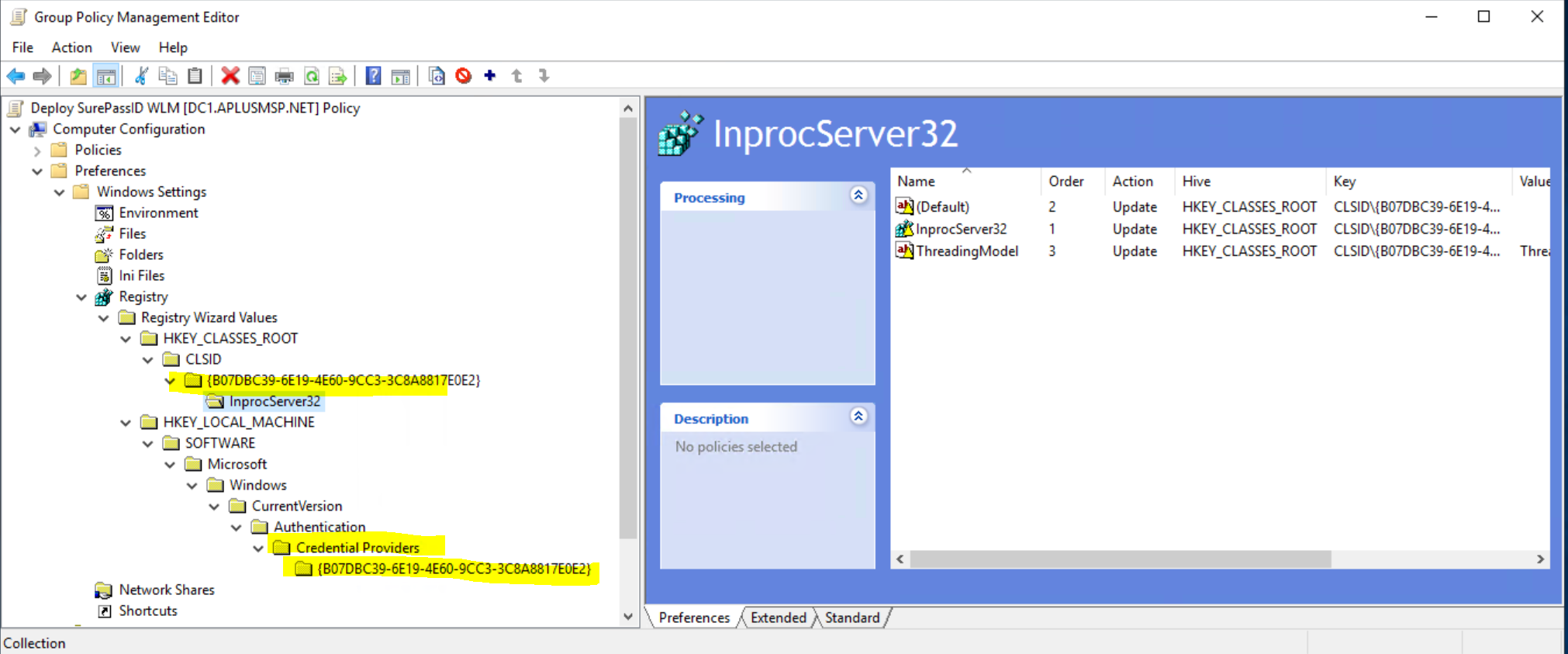
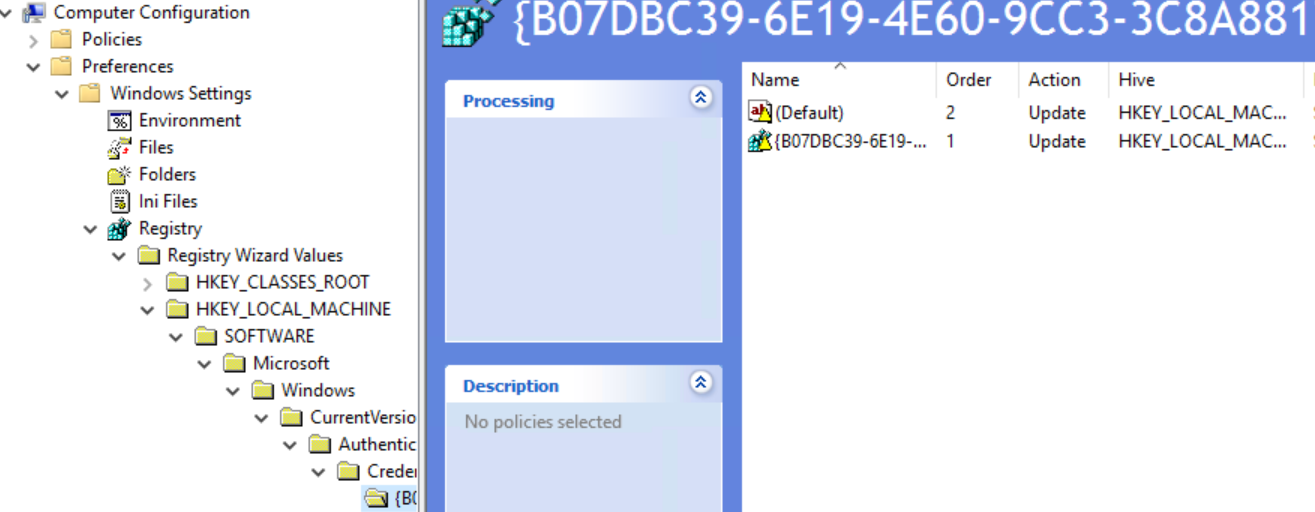
The registry items from the "Stage" folder's "RegisterSurePassIDWithWindows.REG" file.
-
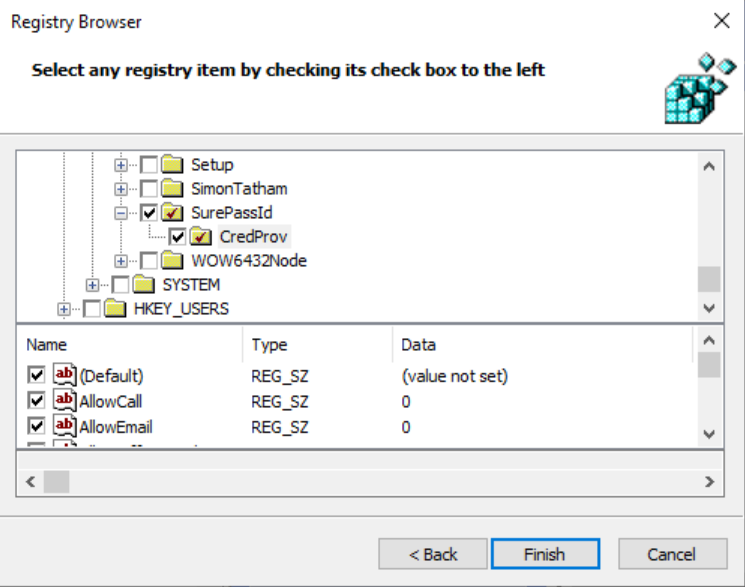
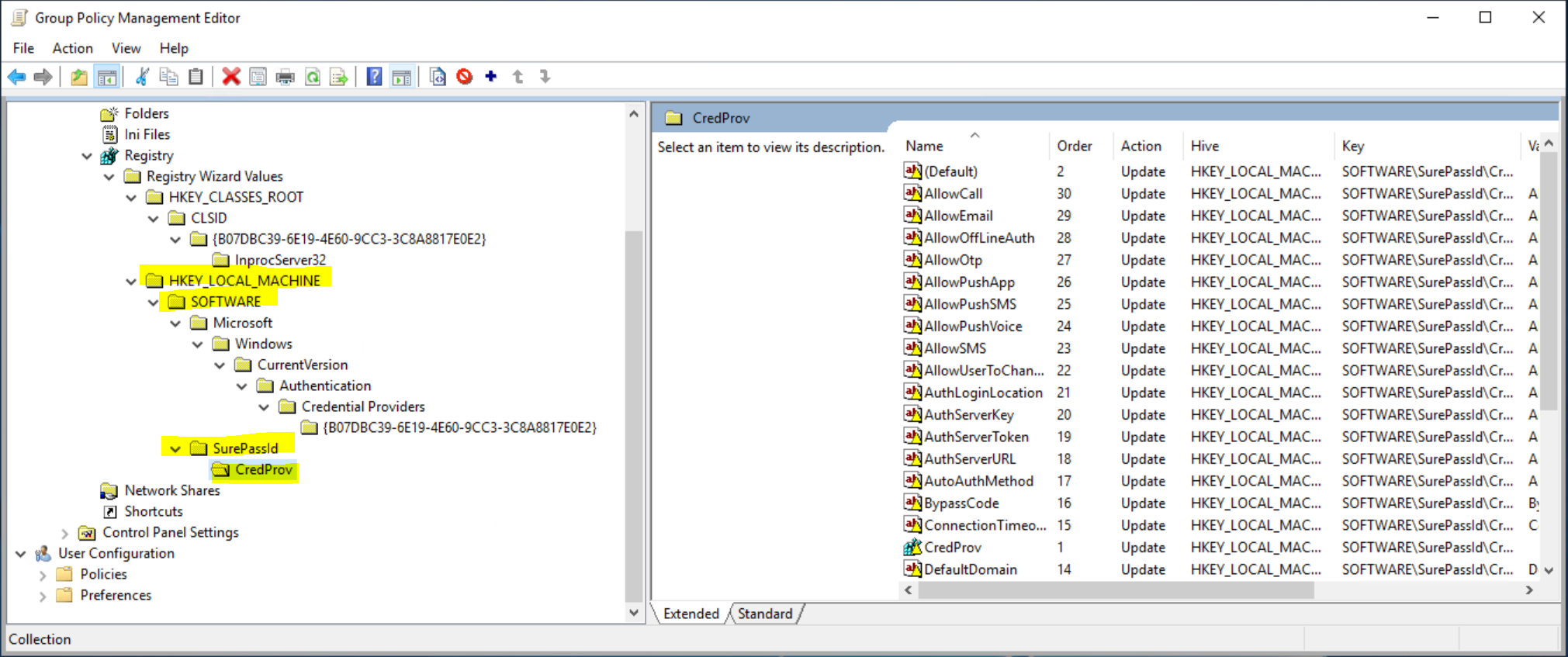
The registry items from the HKEY_LOCAL_MACHINE\SOFTWARE\SurePassId\CredProv (CREDPROV) section, which can be exported to a "settings.REG" file for import into other computers. (This is created initially by our installer and can be managed with the SurePassID configuration tool included in the installer.)
Once the above items are in place our WLM can be used to authenticate.
Enforcement
WARNING: Do not use the enforcement option until the system has been thoroughly tested. We also recommend maintaining the ability to remotely access the registry of the machine to be able to remove the filter settings should the system not allow authentication for any reason. Lastly, the use of a bypass code should be considered, at least for initial deployment, to be sure you have the ability to authenticate if there is an issue.
Removal
Update Master Bypass Code
Deployment via batch or other script mechanism
Deploy using a Group Policy Object (GPO)
WARNING: We do not recommend using a DC for this purpose but rather a Windows 10 or 11 system that has been thoroughly tested with the correct SP related settings and on which the GPMT console has been installed. We recommend using a VM that can be snapped and restored as needed during this phase, a machine that is not a production system.